How to Create an AI Coach or Course Assistant That Delivers More Value and Grows Your Business
Your Content Can Teach More When People Can Interact With It
Educators, coaches, authors, and subject-matter experts already spend a significant amount of time creating valuable content. You may sell a course, publish videos, share a guide, run a membership, or offer coaching.
The challenge is not always creating more content. It is helping people get more value from the content you already have.
Most educational experiences are still one-way. Someone watches a lesson, reads a guide, or enrolls in a program. If they have a question, need help applying an idea, or feel unsure where to begin, they are often left to figure it out alone.
Educators face the other side of the same problem. You may want to answer more questions, offer more personalized guidance, and help customers keep moving forward. But you cannot personally respond to every message or student question.
A conversational AI assistant can help close that gap.
Instead of giving people information alone, you can give them a way to interact with what you teach. They can ask questions, receive guidance based on their needs, and find the most relevant next step.
Getting started does not need to be complicated. You do not need to train an AI assistant on everything you have ever created or build a digital version of your entire business.
You can begin with one course, one guide, one focused topic, or one audience need. The goal is to create one genuinely useful experience, then expand based on what your audience finds valuable.
In this guide, you will learn how to create an AI coach or course companion, choose the right starting point, and turn your existing content into a more valuable asset for both your audience and your business.
1. The Problem: Educational Content Scales Information, but Not Personalized Guidance
Digital content has made it easier than ever for educators to reach large audiences.
A course, video, book, or guide can make your expertise available to thousands of people. But distributing information is not the same as helping each person use it effectively.
A video can explain an idea, but it cannot ask a viewer what they are struggling with. A course can teach a framework, but it cannot help every student apply that framework to their goals. A book can share valuable insights, but it cannot guide one reader toward the most relevant next step.
The content may be useful. The challenge is helping people understand what matters most for their situation.
For the Audience
People do not always need more information. Often, they need help finding the right information and applying it.
Someone exploring your content may still be wondering:
Rupali Renjen is the co-founder of Surfn AI, where she builds conversational AI agents that help businesses and creators engage audiences, uncover deeper audience insights, and turn more conversations into growth.
Without a clear path forward, people may consume a small amount of content and leave before receiving the full value of what you created.
The same issue can continue after purchase. A customer may understand the material but struggle to apply it, stay engaged, or decide what to explore next.
For the Educator
Educators face the other side of the problem.
You may want to answer questions, recommend useful resources, and help customers keep moving forward. But personalized guidance becomes difficult to scale as your audience grows.
You can only respond to so many messages, take so many calls, and provide so much individual feedback in a day.
This can affect the business as well. Potential customers may hesitate because they are unsure which offer fits their needs. Existing customers may disengage because they do not know how to make progress. Useful insights about what your audience cares about may remain buried across disconnected conversations.
High-Intent Moments Are Easy to Lose
The problem becomes especially important when someone is already interested.
A person may discover you through a social post, video, article, or newsletter. Something resonates, so they click a link to learn more.
That moment matters because their curiosity is active, but it may also be temporary.
A static landing page, signup form, or lead magnet can still be useful. But it often leaves the visitor to continue exploring alone. Some people leave before signing up. Others download a resource and never return. Even when you capture an email address, it can be difficult to re-engage someone once their immediate interest has faded.
The issue is not necessarily a lack of interest. It is the lack of a more personalized path forward.
Static content can scale information. Conversational AI can help scale guidance.
2. Three Practical Ways to Start With an AI Assistant
Creating an AI assistant does not need to begin with a large content library or a complicated project.
Start by deciding what you want the assistant to help people do. For most educators, coaches, and creators, there are three useful starting points.
AI assistant type
What it is trained on
Primary purpose
Course or content companion
One course, book, guide, or program
Help customers learn, apply, and stay engaged
Topic-specific AI coach
Selected content around one focused topic
Provide useful guidance within a clear scope
Public guide or interactive lead magnet
Offer details or selected free resources
Answer questions, capture interest, and recommend the right next step
Option 1: Add a Companion to a Course, Book, or Guide
One of the simplest ways to begin is by adding an AI assistant to an educational product you already offer.
A course companion might be trained on your lessons, worksheets, and FAQs. An AI implementation assistant for a book or guide might help readers explore the material and apply it to their goals.
For example, someone taking a personal-branding course could ask:
How should I apply the positioning framework to my consulting business?
Instead of searching through several lessons alone, the customer receives relevant guidance grounded in the course material.
This makes the product more interactive and helps customers get more value from what they purchased.
Option 2: Create a Focused AI Coach for One Topic
You do not need to build an AI version of your entire expertise.
A focused AI coach can be trained on a small collection of content related to one topic your audience already cares about, such as personal branding, productivity, mindset, or AI tools.
For example, a creator who publishes content about AI tools could build an assistant that helps visitors identify which tools are most relevant to their business. The assistant could ask a few questions, recommend useful resources, and point the visitor toward the next logical step.
A narrow scope can make the assistant easier to build and more useful to the audience. It does not need to know everything. It needs to solve one problem well.
Option 3: Create a Public Guide or Interactive Lead Magnet
An AI assistant can also help people explore your work before they become customers.
A public pre-sale guide can answer common questions, explain who an offer is for, and help visitors decide which program fits their needs.
An interactive lead magnet can provide useful guidance around one topic and invite visitors to share their email address or join your newsletter.
For example:
Get a personalized recommendation from my AI coach.
Or:
Ask my AI assistant which strategy fits your business.
The public assistant should only be trained on the information needed for that experience, such as selected free resources, offer details, FAQs, and relevant links. Keep paid course or membership content separate.
Expand When It Becomes Useful
Once you see what your audience values, you can expand into a broader AI assistant trained on a larger collection of your content.
That may eventually include several courses, videos, articles, resources, and recommendations. But it does not need to begin that way.
Start with one clear use case. Expand once you see what your audience finds valuable.
3. Increase the Value of Your Educational Products
A course, book, guide, or membership may contain years of experience and carefully designed frameworks. But customers do not always receive the full value of what you created.
Before purchasing, they may wonder whether the material will help them personally. After purchasing, they may struggle to apply what they learned or lose momentum when they get stuck.
An AI assistant can help close that gap by adding a conversational layer to the experience.
Make the Offer More Compelling Before Someone Buys
A potential customer is not only evaluating the information inside your offer. They are also asking whether they will be able to turn that information into a useful result.
Someone considering a course may wonder:
What happens if I get stuck?
Will I know how to apply this to my situation?
Can I ask questions as I work through the material?
A course companion gives the customer a way to get support as they learn.
Instead of selling:
Personal Branding Course
You could offer:
Personal Branding Course + AI Implementation Assistant
The buyer knows they will not simply receive lessons and worksheets. They will also have a way to ask questions, explore concepts in more depth, and apply the material to their specific goals.
That additional layer of guidance can make the offer feel more useful and more likely to help the customer make progress.
Help Customers Apply What They Learn
After someone purchases, the AI assistant becomes a practical learning tool.
Because it is trained on your material, customers can receive guidance grounded in what you actually teach rather than generic AI advice.
For example, someone taking a personal-branding course might ask:
How should I apply the positioning framework to my consulting business?
The course companion could ask a few follow-up questions and help the student apply the framework to their situation.
Customers could also use the assistant to find a relevant lesson, review a key concept, or take a short quiz.
The goal is not to replace the educator. It is to make the expertise inside the product easier to access and apply.
Help Customers Stay Engaged
A customer does not receive value simply because they purchased access. They still need to use the material.
A course buyer may stop midway through the lessons. A membership subscriber may feel unsure where to begin. A coaching client may need support between sessions.
An AI assistant can help customers keep moving by answering recurring questions, surfacing relevant resources, and guiding them back into the experience when they get stuck.
Create Higher-Value Offers
An AI assistant can also create a reason to offer a premium package.
Standard offer
Premium offer
Course only
Course + AI Implementation Assistant
Book or guide
Book or guide + AI Implementation Assistant
Paid membership
Membership + AI Assistant
Coaching package
Coaching + AI Support Between Sessions
You could include the assistant with the standard product, reserve it for a premium tier, sell it as an optional upgrade, or make it part of a recurring subscription.
In some cases, access to the AI assistant could become a paid product in its own right.
You are no longer offering educational content alone. You are giving customers a more interactive way to learn, apply, and continue making progress.
4. Turn Personalized Guidance Into a Growth Engine
An AI assistant should help your audience first. It should not begin by pushing an offer. It should earn the next step by helping each person understand what is most relevant to their needs.
When designed thoughtfully, that same guidance can also support the growth of your business.
Many educators already have several offers and resources. The challenge is not always creating more. It is helping each person discover the right one.
A static website or list of links can show visitors what is available, but it still leaves them to decide where to begin. A conversational AI assistant can create a more relevant path forward.
Guide People Toward the Right Next Step
Different visitors arrive with different needs.
One person may be ready to purchase a course. Another may need a free resource before making a decision. Someone else may be a strong fit for private coaching.
Instead of showing everyone the same options, an AI assistant can ask a few questions and recommend the most relevant next step.
For example, someone exploring a business coach’s content might say:
I want to improve my positioning, but I am not sure where to start.
The assistant could ask whether they want a self-paced resource, a structured course, or personalized support. Based on the answer, it might recommend a guide, a program, or a consultation.
The goal is not to push every visitor toward the most expensive offer. It is to help each person find the option that best fits their current needs.
The same principle can apply after purchase. A customer who completes a beginner course may later benefit from an advanced program or a coaching session. When the recommendation is relevant, it feels helpful rather than intrusive.
Capture and Qualify Interest While It Is Active
An AI assistant can also create a more engaging alternative to a traditional lead magnet.
A static guide may still be valuable, but the experience often ends with the download. Someone submits an email address, receives the resource, and moves on.
An interactive AI lead magnet gives the visitor a reason to engage immediately.
For example:
Get a personalized recommendation from my AI coach.
Or:
Ask my AI assistant which strategy fits your business.
The assistant can provide a useful starting point and invite the visitor to join your newsletter or share their contact details during the conversation.
For educators who offer coaching or consulting, the assistant can also ask a few qualifying questions before recommending a booking. A strong-fit prospect can move toward a consultation, while someone who is not ready can receive a more appropriate resource.
This creates a better experience for the visitor while helping the educator protect their time.
Learn What Your Audience Cares About
The conversations themselves can also become a useful source of insight.
Traditional analytics may tell you which pages people visit or which links they click. But they do not always explain what people are trying to accomplish or where they feel stuck.
By reviewing conversations, educators can identify:
recurring questions
common points of confusion
topics generating the most interest
offers that need clearer positioning
new content or product opportunities
These insights can improve more than the AI assistant. They can help you strengthen your courses, resources, sales pages, and future content.
A well-designed AI assistant creates value in both directions: it helps people find the guidance they need while helping educators build a more relevant and informed business.
5. How to Design a Useful AI Assistant Without Overbuilding It
The most effective AI assistant is not necessarily the one trained on the largest amount of content. It is the one with a clear purpose.
Start with the smallest useful version, then expand based on the questions people ask and the value they receive.
Step 1: Choose One Audience Need
Before adding content, decide what the assistant should help people accomplish.
Avoid trying to create an AI version of your entire business on day one. A focused role makes the experience easier to build and easier for your audience to understand.
For example, your assistant might help course buyers apply a framework, guide readers through a book, recommend tools within one niche, or provide support between coaching sessions.
The assistant does not need to solve every problem. It needs to solve one useful problem well.
Step 2: Add the Smallest Useful Set of Content
Once the role is clear, add only the material the assistant needs to perform that role effectively.
That might include:
one course, book, or PDF
a few relevant videos or articles
FAQs
worksheets and useful links
A course companion may only need the lessons, worksheets, and frequently asked questions from one program.
A topic-specific AI coach may only need a small collection of content around one subject.
You can always add more later. A focused knowledge base makes it easier to test whether the assistant is genuinely useful.
Step 3: Give People Clear Starting Points
Even a well-trained assistant can underperform if people do not know what to ask.
Use a short welcome message and three to five suggested prompts that make it easy to begin.
For example:
Where should I start?
Help me apply this framework
Recommend a resource
Which program fits my goals?
Quiz me on this topic
Keep the choices focused. Too many prompts can create the same confusion as a crowded website or link hub.
Step 4: Decide Which Actions Matter
A useful AI assistant should do more than answer questions.
Think about what should happen when someone needs more help. Your assistant might surface a worksheet, recommend the next resource, offer a quiz, capture contact details, or open a booking calendar.
The action should match the person’s needs in the moment.
Someone trying to understand a lesson may benefit from a worksheet. Someone who wants more personalized support may be ready to book a session. Someone exploring your work for the first time may be better served by a free guide.
Do not force every conversation toward the same call to action. Help each person take the most relevant next step.
Keep Public and Customer-Facing Assistants Separate
Not every assistant should be trained on the same material.
A public pre-sale guide can help visitors explore your offers, ask questions, and decide where to begin.
A separate course companion can be trained on the curriculum, worksheets, and frameworks reserved for enrolled customers.
Keeping those experiences separate protects paid content while giving each assistant a clearer purpose.
Depending on how you structure the experience, you may also restrict access to course buyers, paying members, or approved users.
An AI assistant should make your expertise more accessible, but it should not pretend to replace your judgment.
Define what the assistant can help with and where its role ends. Instruct it to respond based on your content, stay within its intended scope, and recommend human support when a situation requires personal judgment.
This is especially important in areas such as health, finance, and legal education, where a person’s situation may require professional guidance.
Use AI to scale the repeatable parts of your guidance—not the parts that require your personal judgment.
6. Three Practical Examples
There is no single way to use an AI assistant. The right experience depends on what you teach and where your audience needs more guidance.
Here are three practical examples.
Example 1: Public Pre-Sale Guide + Customer Course Companion
A course creator sells a program on building a personal brand.
Before enrolling, potential customers can interact with a public pre-sale guide trained on the information needed to support a buying decision, such as who the course is for, what it covers, and common questions.
A visitor might ask:
Is this course suitable for someone who is just starting to build an audience?
The pre-sale guide can answer the question and help the visitor decide whether the program fits their needs.
After enrolling, the customer receives access to a separate course companion trained on the curriculum and worksheets.
They might ask:
How should I apply the positioning exercise to my consulting business?
The public guide helps potential customers make an informed decision. The course companion helps enrolled students get more value from what they purchased.
Example 2: Book or PDF + AI Implementation Assistant
An author sells a guide on growing a newsletter.
The guide includes a clear framework and practical worksheets. But some readers still need help applying the ideas to their own audience.
The author creates an AI implementation assistant trained on the guide and offers two options:
Standard option
Premium option
Newsletter Growth Guide
Newsletter Growth Guide + AI Implementation Assistant
A reader might ask:
What should I focus on if my subscriber growth has stalled?
The assistant can respond based on the guide and help the reader identify the most relevant next step.
The premium tier gives customers a more interactive experience without requiring the author to add live calls or manual support.
Example 3: Topic-Specific AI Coach as an Interactive Lead Magnet
A creator publishes content about AI tools for small businesses.
They build a focused AI coach that helps visitors identify which tools may be most useful for their goals.
A visitor might ask:
I run a small marketing agency. Which AI tools could help my team save time?
The assistant can ask a few follow-up questions, recommend relevant resources, and offer to send a deeper guide by email.
If the visitor needs more personalized support, the assistant can also suggest a consultation.
This turns a static lead magnet into a more useful first interaction while helping the creator capture leads and learn what the audience cares about.
Using an AI Assistant Inside a Paid Community
An AI assistant can also help members find relevant resources, revisit important ideas, and stay engaged between live sessions.
7. How Surfn Helps You Launch an AI Coach or Course Assistant
Until recently, creating a useful AI assistant could feel like a custom-development project. An educator might assume they need to hire a developer, invest in a complicated build, or settle for a generic chatbot that sits in the corner of a website and answers basic questions.
Surfn gives educators, coaches, authors, and subject-matter experts a more practical alternative.
With Surfn, you can create a branded conversational AI assistant without code, train it on the content you choose, and share it wherever your audience already engages with you.
You can test the idea without building a custom AI product from scratch.
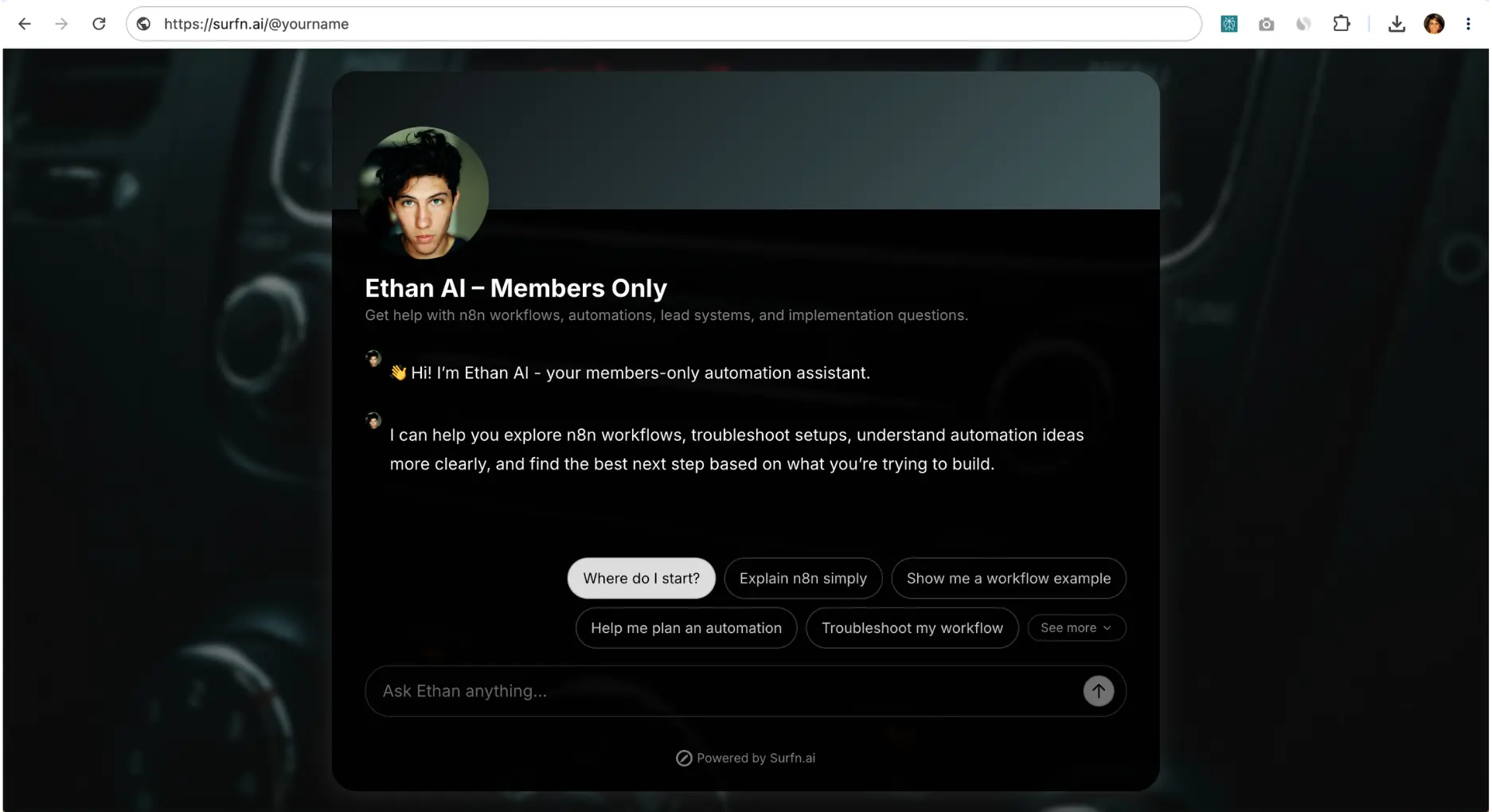
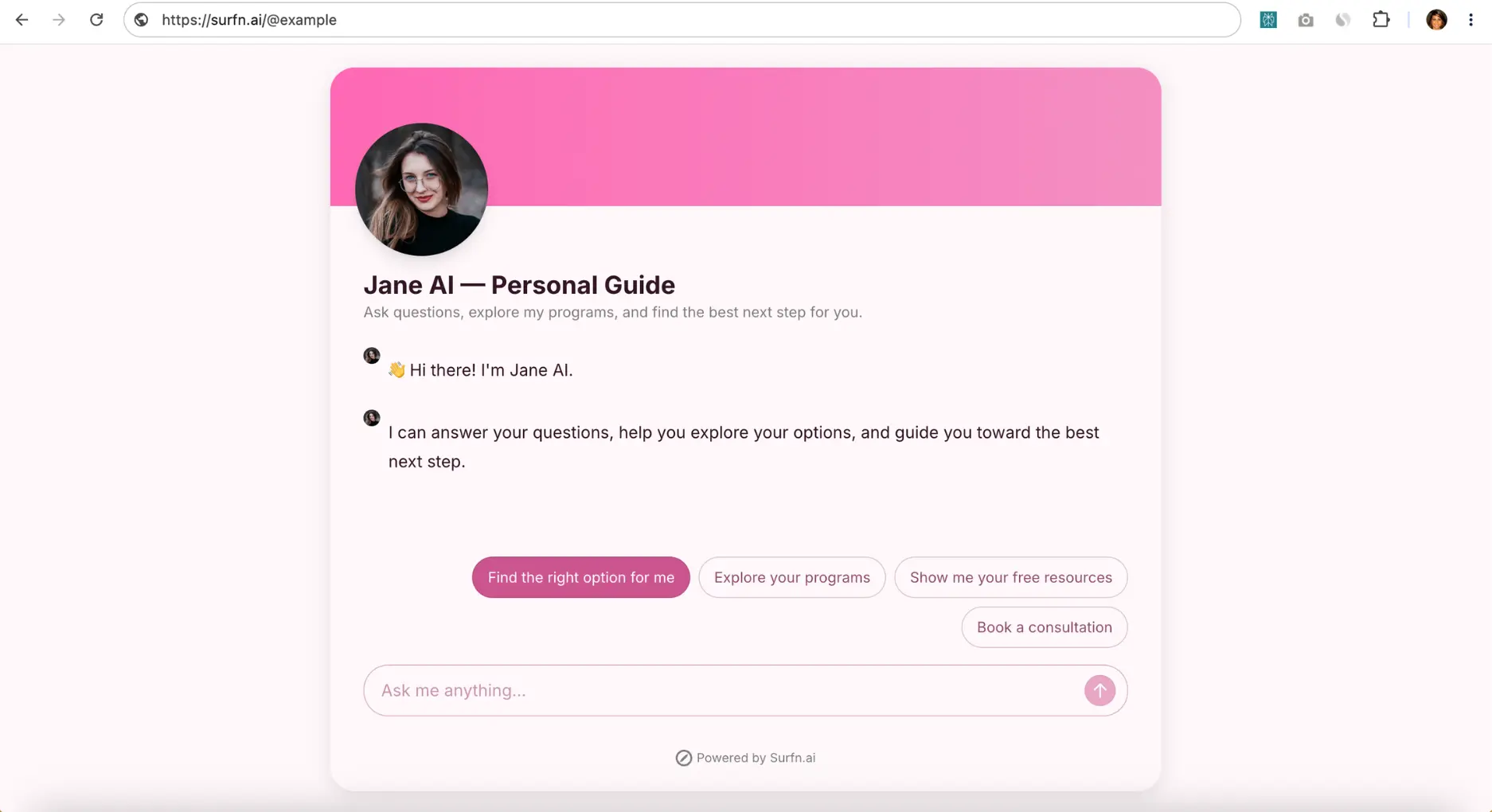
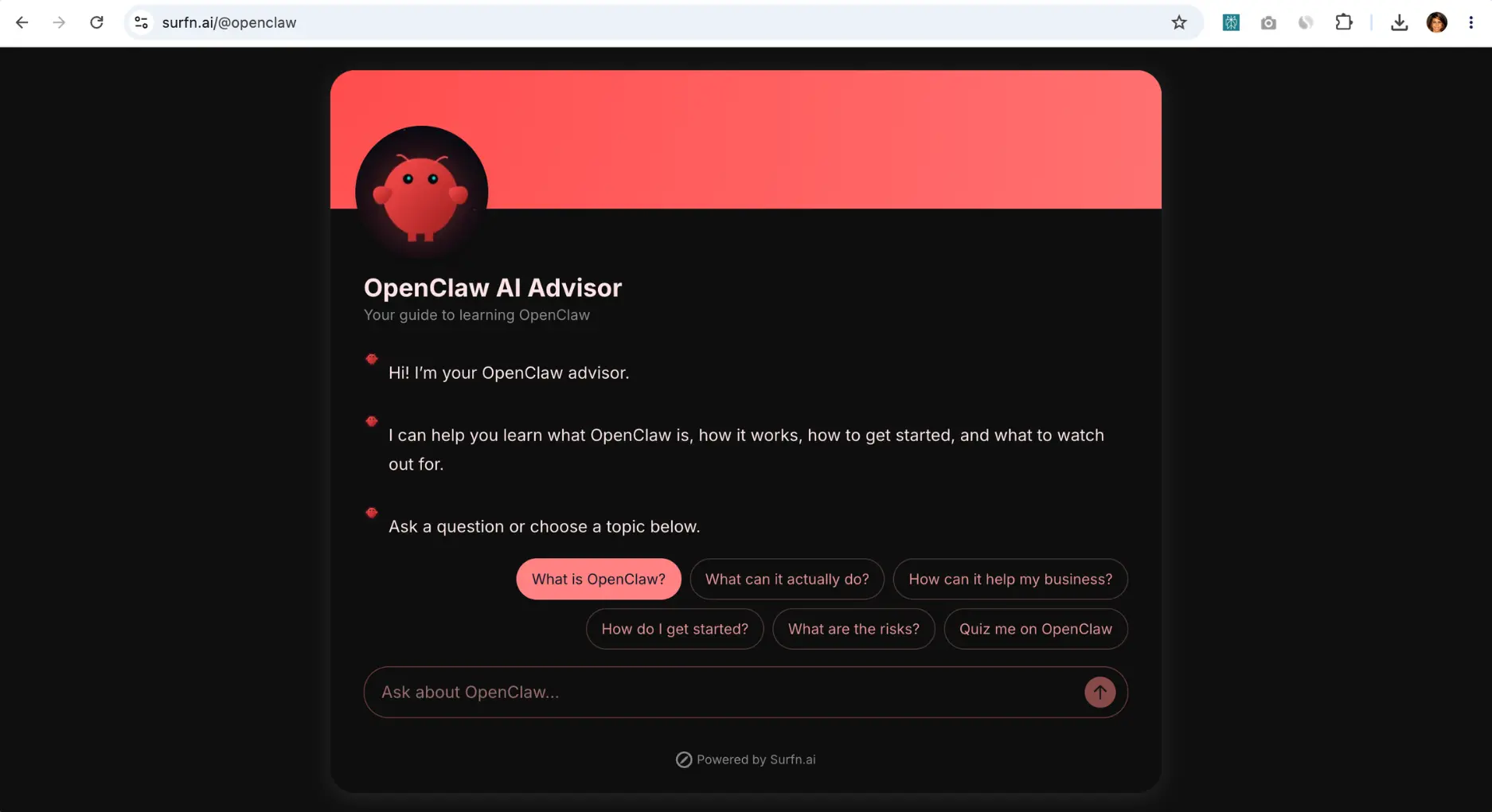
Examples of branded Surfn AI Pages: create an assistant for paying customers, a focused AI coach, or a public-facing guide that helps visitors find the right next step.
Create One Assistant—or Several
You do not need to force every use case into one AI assistant.
With Surfn, you can create separate agents for different audiences and goals. For example, you might build:
a public AI lead magnet
a pre-sale guide
a course companion
an assistant shared inside a paid community
a broader AI coach trained on selected content
Each assistant can have its own training material, design, welcome experience, and calls to action.
This makes it easier to create a focused experience for each audience rather than asking one agent to do everything.
Train It on the Content That Matters
Start with the content most relevant to the experience you want to create.
You might train your assistant on a course, guide, book, video, website, or selected resources. You can also add FAQs and question-and-answer pairs to improve how it responds to common questions.
A course companion may only need one program’s lessons and worksheets. A focused AI coach may only need a curated set of content around one topic.
You can keep the first version simple and add more material when it improves the experience.
Make the Experience Feel Like Your Brand
Your AI assistant should feel like a natural extension of your educational product or business.
With Surfn, you can customize the profile image, name, description, welcome message, suggested-message buttons, tone of voice, colors, background, and layout.
The goal is not to add visual complexity. It is to create an experience that feels intentional, trustworthy, and aligned with your brand.
Help People Start—and Keep Moving
A useful AI assistant should not leave visitors staring at an empty chat box.
Surfn lets you add suggested-message buttons that help people begin with one click. For a course companion, these might include:
Help me apply this framework
Review the key concepts
Quiz me on this topic
Show the next lesson
After the conversation begins, AI-generated follow-up buttons can surface relevant next questions and actions beneath each reply.
This makes the experience feel more guided and helps people continue exploring without having to decide what to type at every step.
Turn Conversations Into Action With AI Tasks
Surfn AI Tasks let your assistant do more than answer questions.
You can define when a task should happen, so the assistant responds with the right action when a relevant need, question, or level of intent emerges during the conversation.
For example, your assistant can:
deliver a lesson or quiz
surface a worksheet, video, or webpage
recommend a relevant resource or offer
capture and qualify leads
show a form or checkout page
open a booking calendar
Instead of showing every visitor the same call to action, your assistant can surface the most relevant next step based on the conversation.
For example, someone asking for help applying a lesson might receive a worksheet. Someone who wants to test their knowledge might receive a quiz. Someone interested in private support might be guided toward a consultation.
For certain use cases, visitors can also share a website so the agent can provide more relevant, business-aware guidance.
Capture Leads and Qualify Prospects Naturally
Surfn supports two ways to capture leads:
Conversational lead capture: The assistant asks for information naturally during the interaction.
Traditional lead forms: Visitors submit structured details such as their name, email address, company, or website.
For coaching or consulting offers, the assistant can also ask qualification questions before displaying a calendar.
Strong-fit prospects can move toward booking. Other visitors can receive a more appropriate next step, such as a free resource or starter offer.
This helps protect your time while creating a more useful experience for the visitor.
Share It Anywhere
A Surfn AI Page is a standalone branded webpage powered by your AI assistant.
Unlike a chatbot that only appears on your website, an AI Page can be shared directly wherever your audience already engages with you.
You can share it through a simple link or QR code, add it to a link in bio, social post, DM, newsletter, course portal, or paid community, or embed it into your website as a popup, slider, modal, inline assistant, or full-page experience.
This flexibility matters because your audience may discover you in many different places. Your assistant can meet them where their interest is already active.
Learn From Conversations
Surfn also helps you understand what your audience cares about.
Review conversation history and captured leads to identify recurring questions, common friction points, resources people request, and the actions that lead to signups or bookings.
Captured leads and responses can also be exported or synced to Google Sheets for follow-up workflows.
Over time, those insights can help you improve the assistant, strengthen your educational content, and refine your offers.
Surfn helps you turn the content you already have into branded conversational AI experiences that educate, engage, and take action when the moment is right.
Conclusion: Deliver More Value Without Adding More Hours
Your educational content already contains valuable ideas. A conversational AI assistant helps people do more with them.
It can answer questions, help customers apply what they learn, guide people toward relevant next steps, and give you a clearer understanding of what your audience needs.
You do not need to train it on everything you have ever created, replace your personal guidance, or build a complicated product from scratch.
Start with one useful piece of content, one audience need, and one clear goal. Then expand based on what your audience finds valuable.
Create Your AI Coach or Course Companion With Surfn
Turn your content into a branded AI experience that helps people learn, apply, and move forward.